← Back to Work
Invoice Manager
Redesigning an added service for Wells Fargo business clients — simplifying invoice processing and vendor management to eliminate unnecessary customer service calls.
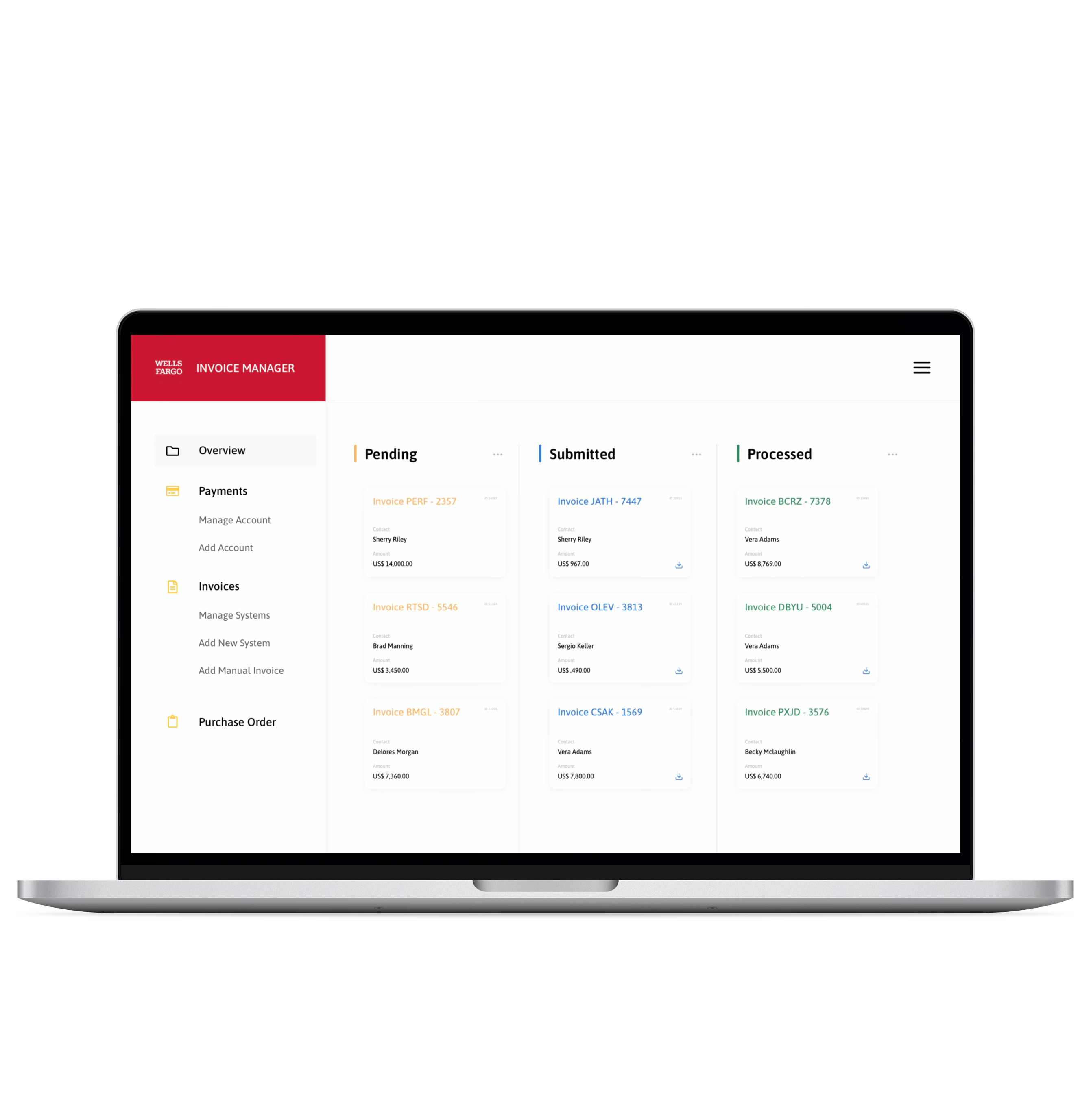
Redesigning an added service for Wells Fargo business clients — simplifying invoice processing and vendor management to eliminate unnecessary customer service calls.
Outdated technology and poor accounting software integration meant users contacted Wells Fargo's help center for simple transactions that should have been self-service.
Simplify the interface and add integration to popular accounting systems — targeting a 40% reduction in customer service calls from non-clients.
We identified companies and users creating the highest transaction volumes and generating the most help center calls, then conducted interviews and surveys. Research produced three user personas representing consistent pain points across industries, technical abilities, and job functions.
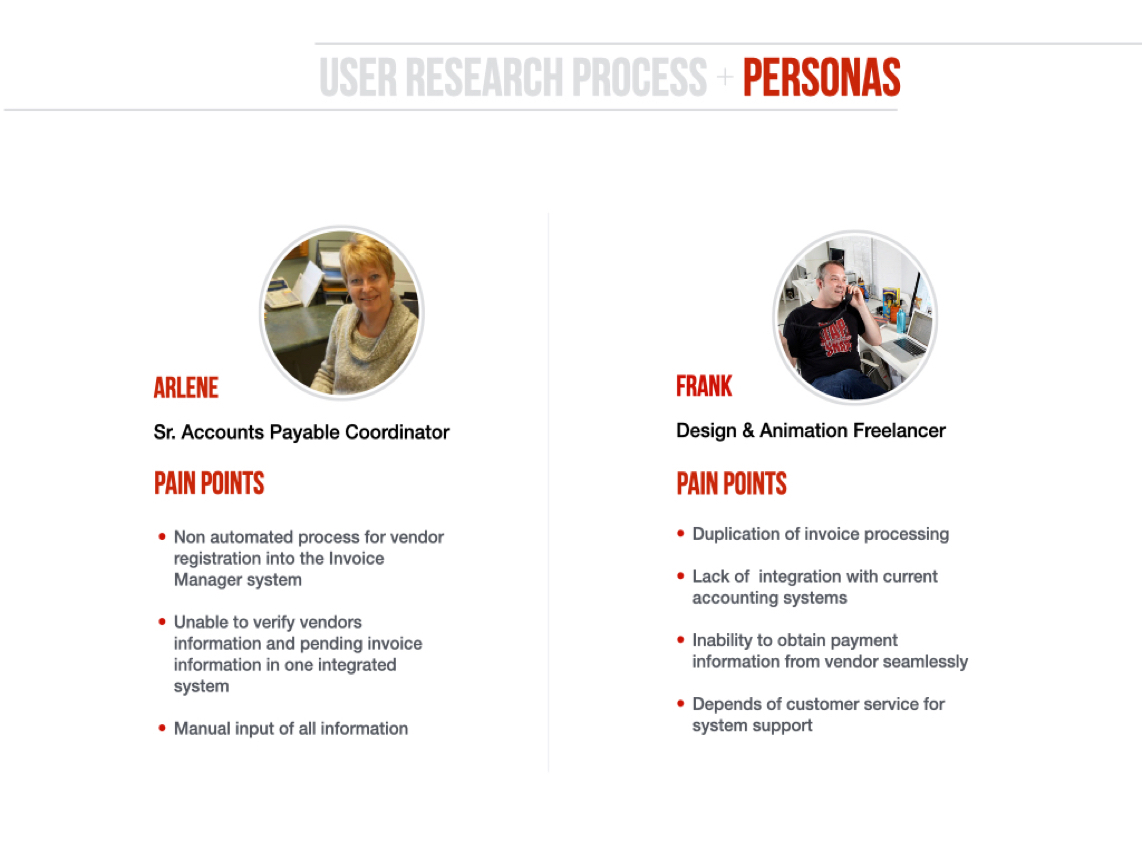
Two of three personas — representing Accounts Payable and Vendor pain points.
Accounts Payable
Non-automated vendor registration, unable to verify vendor info and pending invoices in one view, fully manual input for all information.
Vendors / Contractors
Duplicated invoice processing, no accounting system integration, inability to obtain payment info seamlessly, complete dependence on customer service.
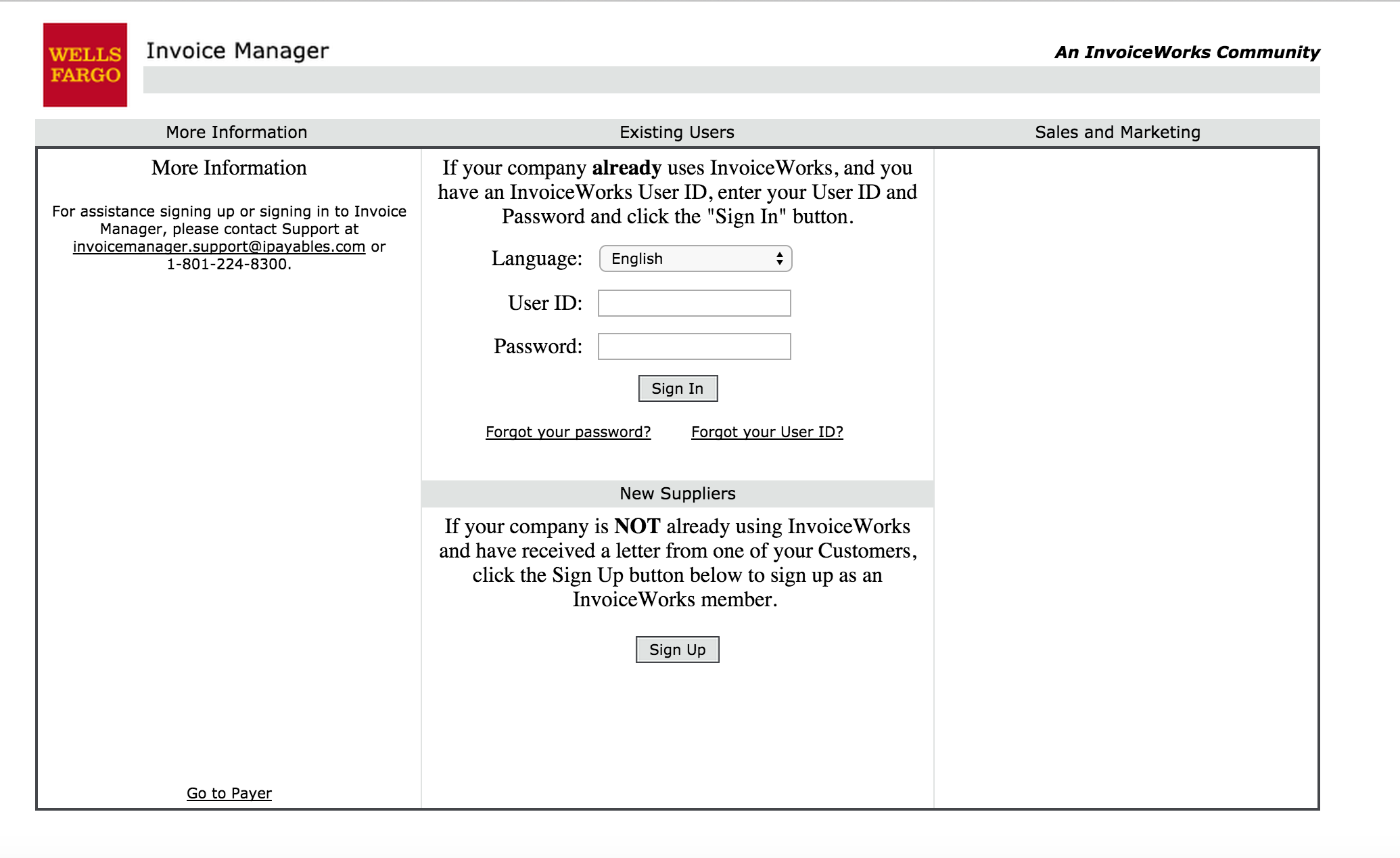 The original Invoice Manager login — outdated technology that drove users to contact support for basic tasks.
Three use cases represented 85% of user complaints: Register, Submit an Invoice, and Request a Purchase Order. These became the entire scope of the first redesign phase. We mapped each user type's journey and documented where each path currently ended in a customer service call.
"We believe that freelancers and contractors have a problem with the invoice processing tool we offer. We can help them by simplifying the interface and adding integration to popular accounting systems. We'll know we are right if we are able to reduce the calls to customer service from non-clients by 40%."
— Strategic hypothesis
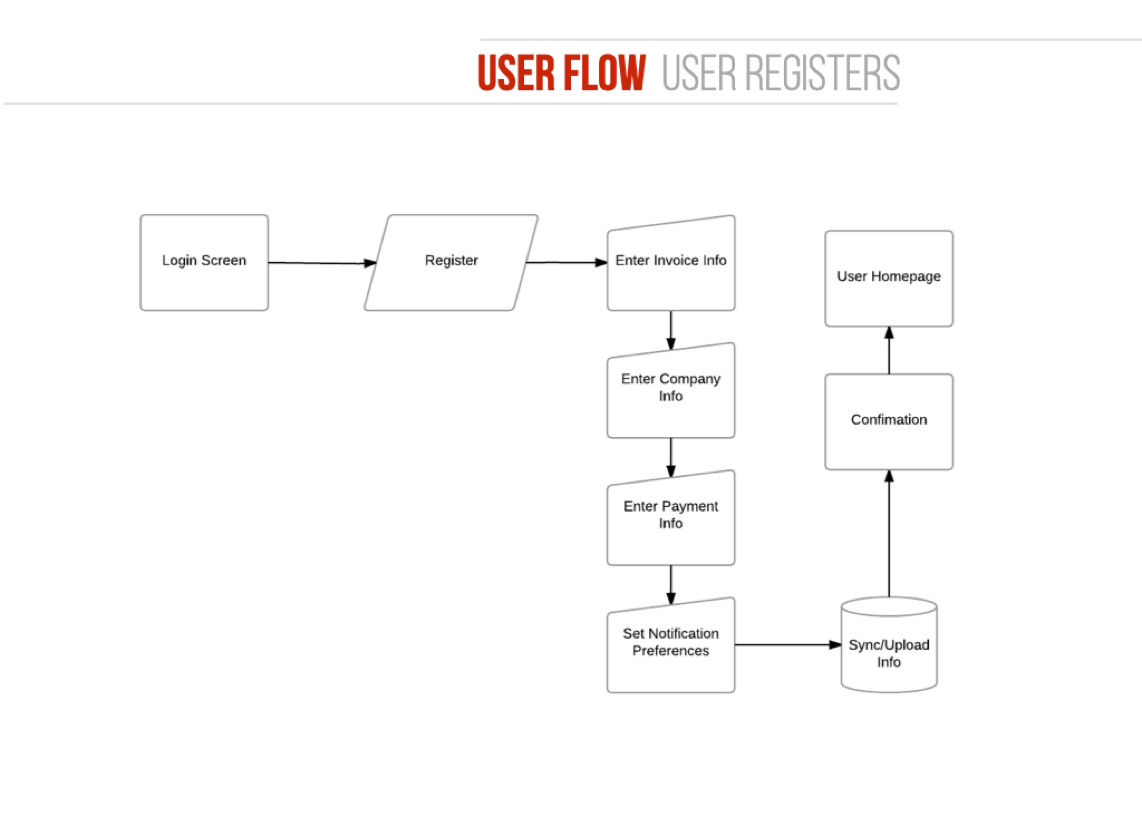
User flow — Registration. Mapping every decision point where users previously abandoned to call support.
Registration Flow
The primary bottleneck — new vendors couldn't complete registration without calling support. The flow maps login, company profile, contact setup, and payment info into a guided multi-step process.
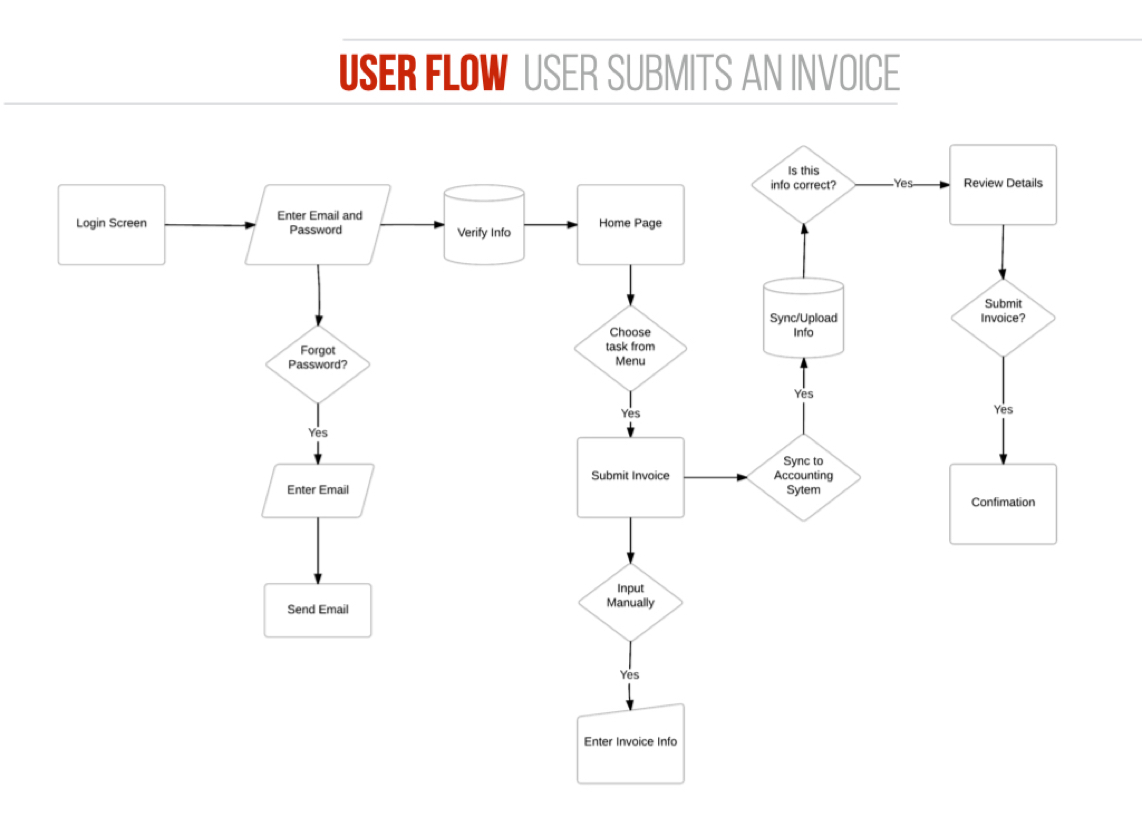
User flow — Submit Invoice. Integrating accounting system sync to eliminate duplicate data entry.
Invoice Submission Flow
Users either sync from their existing accounting system or create invoices manually within the platform — reducing the duplicate processing that drove vendor frustration.
The #1 reason users called support was that they couldn't get started — registration was the bottleneck, not the core product functionality.
The new login hid user-type-specific information, managing differentiation entirely on the backend. Registration walked users through a guided multi-step flow that collected everything needed for immediate account activation.
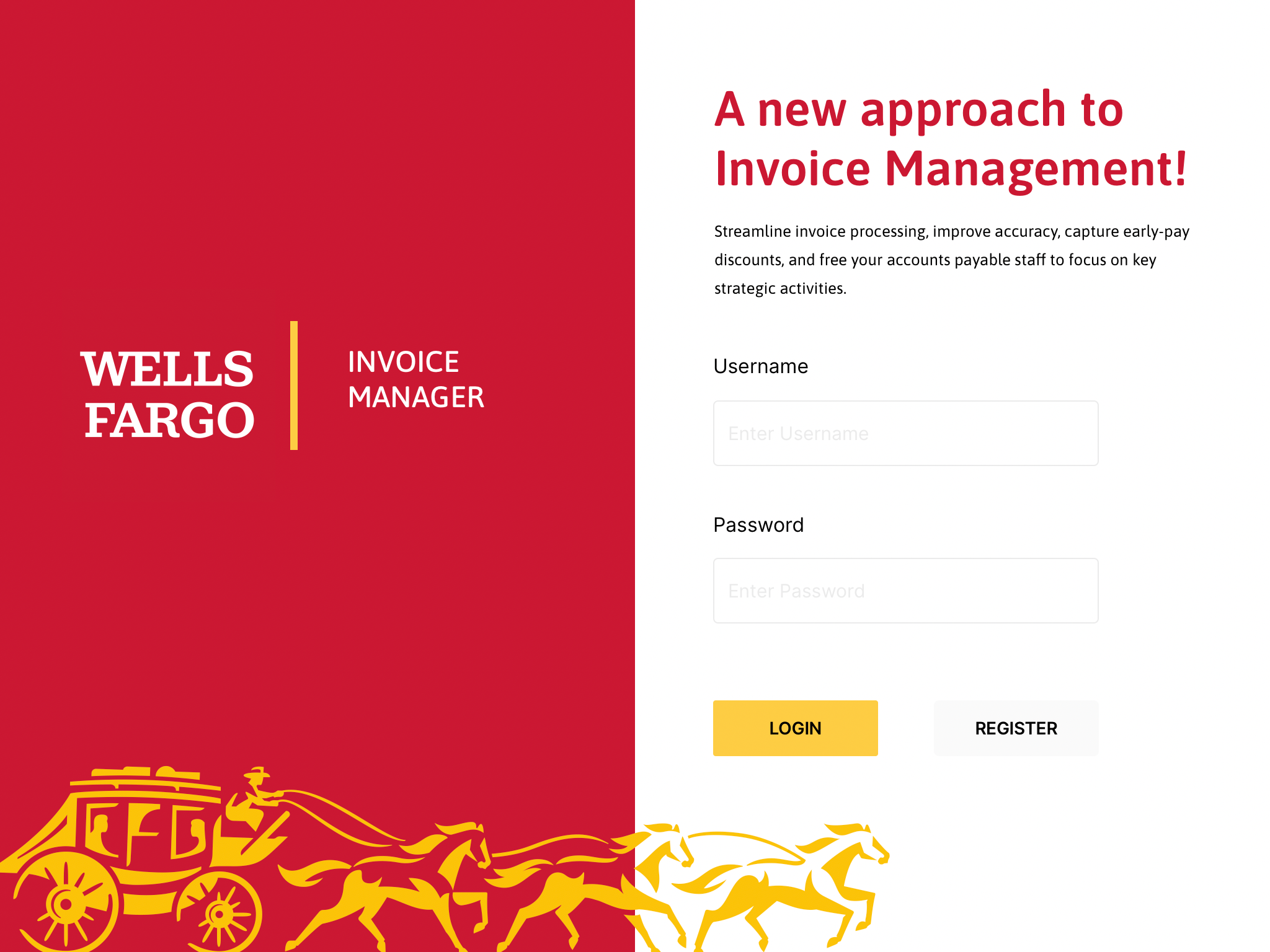
Redesigned login — streamlined entry point hiding user-type complexity on the backend.
New Login
Hides user-type-specific information, managing differentiation on the backend. A single streamlined entry point for all user types — AP, Vendor, and Admin.
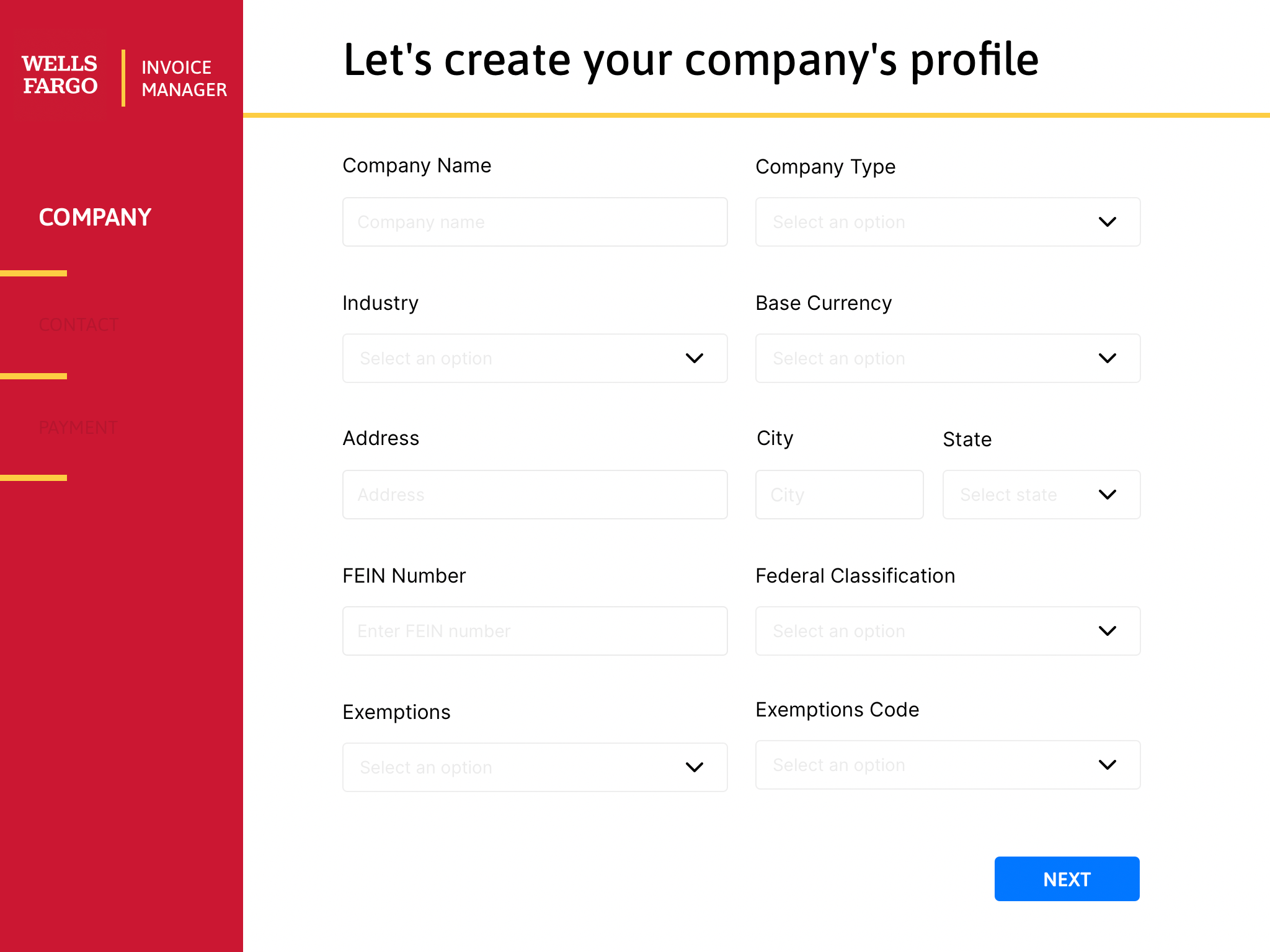
Step 1 — Company Profile. All necessary business information collected upfront.
Company Profile
Walks new users through entering all necessary business information. Left sidebar navigation shows progress through the registration steps — Company, Contact, Payment.
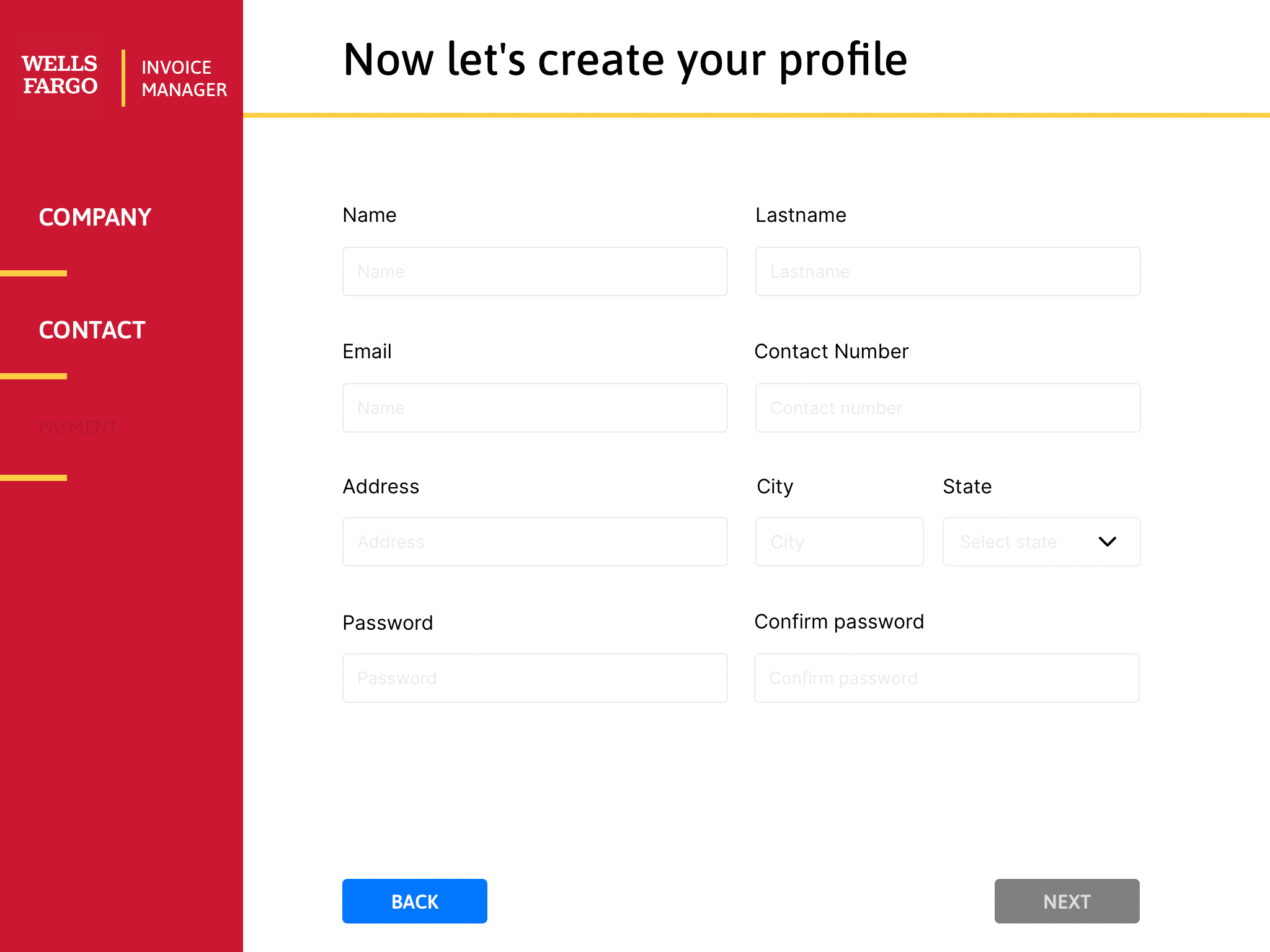
Step 2 — Contact Profile. Forms dynamically adapt based on user type.
Dynamic Contact Profile
Administrators identify individual or organizational user types, and forms dynamically change based on selections — one interface serving multiple user configurations without separate builds.
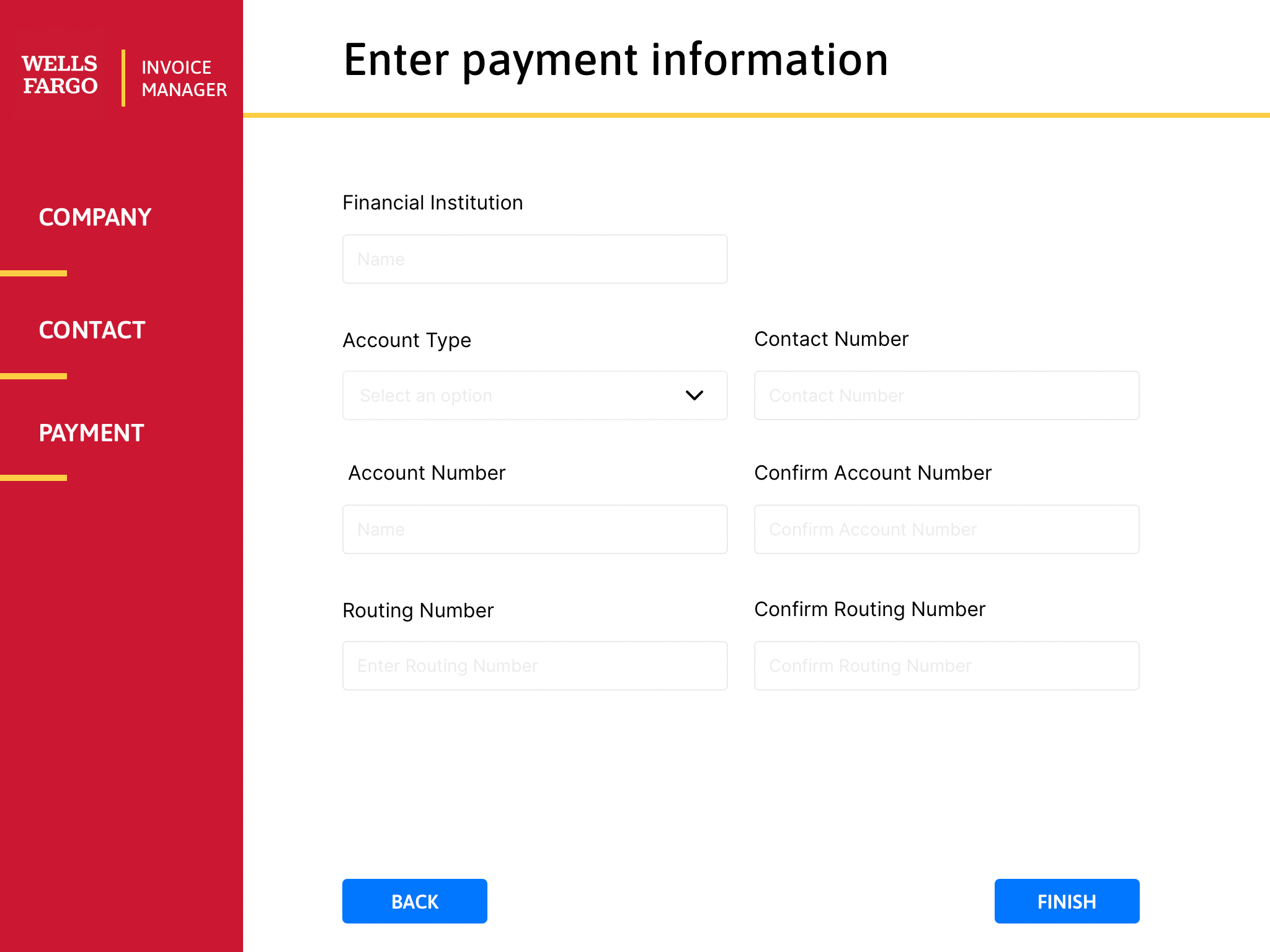
Step 3 — Payment Profile. Verification begins immediately upon completion.
Payment Profile
Requests payment information at first login, enabling verification processes to begin immediately. Users have fully functional accounts upon completing the flow — no follow-up calls needed.

Step 4 — Success. Registration complete, user enters their fully functional account.
Success Confirmation
Confirms registration completion and directs users into their account dashboard. No ambiguity, no follow-up emails required — the account is immediately active.
Dashboard — invoice status overview with accounting system integration.
Invoice Dashboard
Central hub showing invoice status, payment tracking, and integration with external accounting systems. Users can sync invoices automatically or create them manually — eliminating the duplicate processing workflow.
The redesigned Invoice Manager shipped targeting the three flows covering 85% of user complaints. The guided registration eliminated the primary support bottleneck — vendors who previously called support 2-3 times during registration completed the new flow independently.
By reimagining the process, user flows, and design approach, both online and offline challenges were addressed. Dynamic forms simplified administration across user types, and dashboard integration with external accounting systems reduced duplicate invoice processing. The focused scope — 3 flows rather than a full platform redesign — targeted a 40% reduction in non-client customer service calls through improved self-service capability.
Company Profile, Dynamic Contact Profile, Payment Profile, and Success Screen — fully functional account upon completion, verification begins immediately.
Backend manages user-type differentiation. Forms adapt based on administrator selections — individual vs. organizational, vendor vs. AP — without separate interfaces.
Invoice status overview, external accounting system integration for automatic upload, and manual invoice creation — all in one view with real-time status indicators.
3 flows covering 85% of complaints delivered more impact than a full redesign. Targeting the 40% call reduction metric kept the team focused.
Users couldn't get started — that was the #1 support call driver. Collecting payment info at first login meant verification began immediately instead of requiring follow-up.
Managing user-type differentiation server-side let one interface serve AP, vendors, and admins — reducing both development cost and user confusion.